
What is new
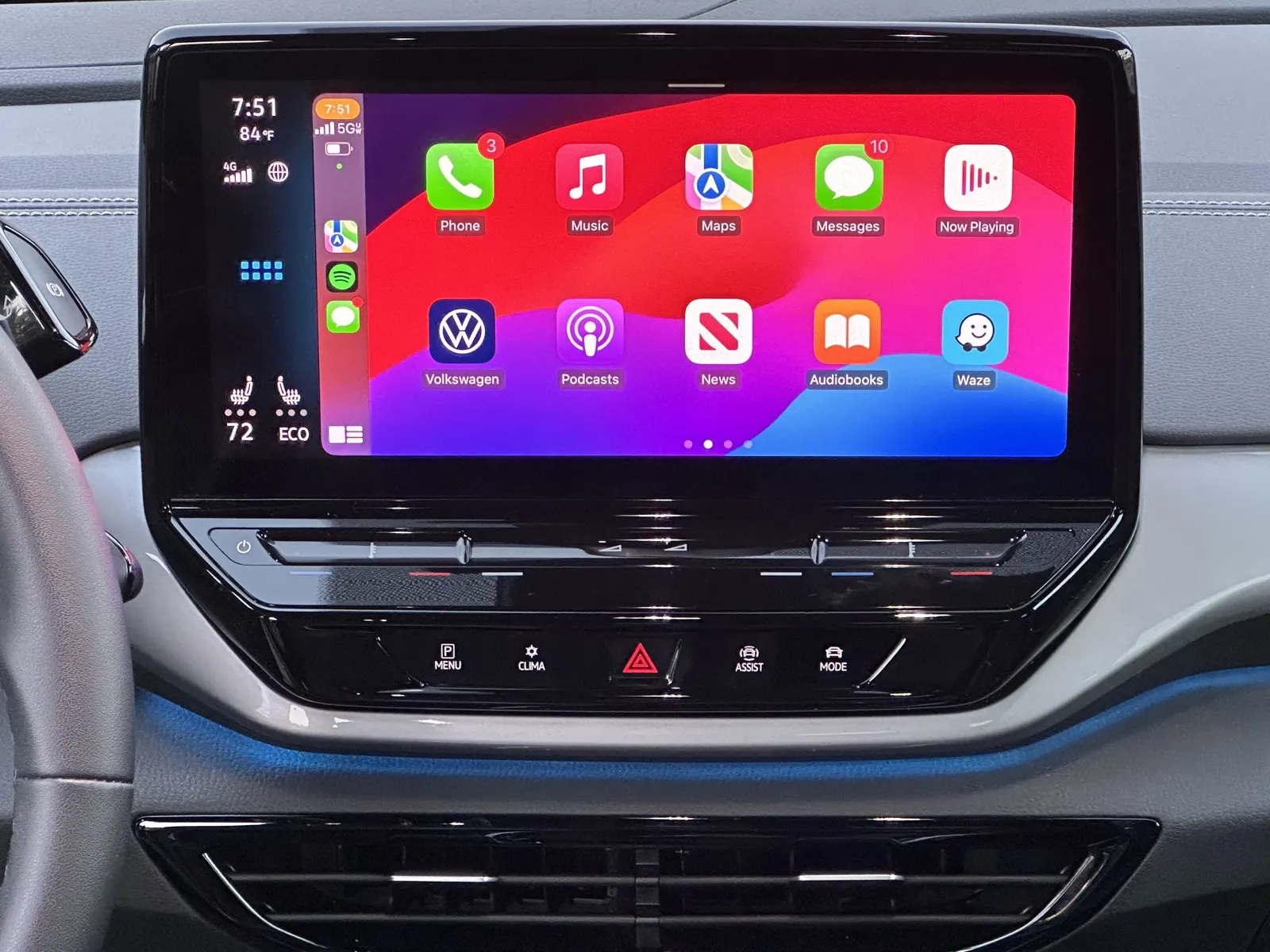
The Motorbook iPhone app now works with Apple CarPlay. With your iPhone connected, Motorbook appears on the car's CarPlay screen, where you can find nearby fuel and EV charging from the dashboard. Fuel prices come from the UK Government's Fuel Finder data, the same source as the rest of Motorbook.
The app is unchanged on your iPhone: MOT and tax reminders, service history and running costs all work as before. For setup, wired or wireless, see the Motorbook CarPlay page.
Why use CarPlay rather than your phone
1. Holding your phone at the wheel is illegal
The rule is clearer than many drivers assume. GOV.UK says: "It's illegal to hold and use a phone, sat nav, tablet, or any device that can send or receive data, while driving or riding a motorcycle." It adds that "you must not use a device in your hand for any reason, whether online or offline".
That includes the moments when checking a price feels harmless. GOV.UK lists being "stopped at traffic lights" and "queuing in traffic" among the situations where the law still applies.
The penalties on the same page:
- 6 penalty points and a £200 fine for holding and using a phone or similar device while driving.
- Losing your licence if you passed your driving test in the last 2 years.
- 3 penalty points if you do not have a full view of the road and traffic ahead or proper control of the vehicle.
- In court, a driving ban and a maximum fine of £1,000 (£2,500 if you are driving a lorry or bus).
Hands-free use is allowed. GOV.UK lists "a built-in sat nav" and "a dashboard holder or mat" as hands-free access, "as long as you do not hold them at any time during usage". The car's own CarPlay screen fits that description. The same page is clear that you "must stay in full control of your vehicle at all times", so a dashboard screen is for a quick glance, not a long browse.
2. A bigger screen, where you already look
A phone in a cup holder or on the passenger seat is small, low and out of your eyeline. The CarPlay display is built into the dashboard, sized for reading at arm's length and positioned close to your normal view of the road.
3. Glanceable prices on the way
Prices near you are not all the same, and the gap is often bigger than people expect. Motorbook's own pull of Fuel Finder data at 16:43 GMT on 29 October 2026 shows it:
| Area | Fuel | Cheapest | Dearest | Gap |
|---|---|---|---|---|
| Within 3 km of central Manchester (15 forecourts) | Unleaded (E10) | 166.9p | 175.9p | 9.0p |
| Within 3 km of central Manchester (12 with diesel) | Diesel (B7) | 194.9p | 199.9p | 5.0p |
| UK, 6,875 forecourts | Unleaded (E10) | 152.9p | 209.0p | 56.1p |
| UK, 6,519 forecourts | Diesel (B7) | 175.9p | 232.8p | 56.9p |
The UK averages at the same time were 172.3p for unleaded and 198.6p for diesel. A 9.0p gap on a 50-litre fill of unleaded is £4.50, from forecourts all within a short drive of each other. Seeing those prices on the dashboard before you pick a forecourt is how you catch that saving without touching your phone.
Source: Motorbook analysis of UK Government Fuel Finder data via the Motorbook fuel price data and nearby fuel API, dataset updated 29 October 2026, 16:43 GMT. Prices change through the day; the live national figures are on UK fuel prices today.
4. EV charging in the same place
Motorbook on CarPlay also finds nearby EV charging, so drivers of electric and plug-in hybrid cars can look for a charge point from the same screen.
5. No fumbling at the pump
Choose the forecourt before you arrive, and there is no unlocking your phone in the queue, no searching for an app on the forecourt and no hunting for a price you saw earlier.
6. Private, with no ads and no account
Motorbook has no account to create and no advertising. Vehicles, reminders and records stay on your phone, and your location is used to find nearby stations, not logged. It is UK only and free for two cars, with Premium at £3.99 a year or £9.99 once.
Get it
Update or install Motorbook from the App Store, then follow the steps on the Motorbook CarPlay page. Everything else the app does is on the features page.
Download Motorbook on the App Store
Frequently asked questions
Does Motorbook work with Apple CarPlay?
Yes. From 29 October 2026, Motorbook works with Apple CarPlay, so you can find nearby fuel and EV charging from your car's dashboard. Setup steps are on the Motorbook CarPlay page.
Is it legal to check fuel prices on my phone while driving?
Not if you hold the phone. GOV.UK says it is illegal to hold and use a phone, sat nav, tablet or any device that can send or receive data while driving, including when stopped at traffic lights or queuing in traffic. Hands-free use, such as a built-in screen, is allowed as long as you stay in full control.
What is the penalty for using a hand-held phone while driving?
GOV.UK says you can get 6 penalty points and a £200 fine, and you lose your licence if you passed your test in the last 2 years. In court you can be banned and fined up to £1,000, or £2,500 for a lorry or bus driver.
How much can fuel prices vary near me?
Quite a lot. At 16:43 GMT on 29 October 2026, unleaded (E10) at the 15 forecourts within 3 km of central Manchester ranged from 166.9p to 175.9p a litre, a 9.0p gap, or £4.50 on a 50-litre fill.
Does Motorbook on CarPlay need an account?
No. Motorbook has no account to create and no advertising. It is free for two cars, with Premium at £3.99 a year or £9.99 once.
Related
- Motorbook on Apple CarPlay: setup and FAQ
- Best fuel price apps in the UK in 2026
- UK fuel prices and inflation: diesel hits a record 200p
- UK petrol and diesel prices today
Sources
- GOV.UK, Using mobile phones when driving: the law (checked 29 October 2026)
- Motorbook, UK fuel price data (latest.json) and the nearby fuel API for central Manchester (53.4808, -2.2426), Motorbook analysis of UK Government Fuel Finder data, 29 October 2026, 16:43 GMT
Image credits
- CarPlay dashboard: photo by Sunnyboy122, Wikimedia Commons, released under CC0.
Motorbook is independent and is not affiliated with Apple, GOV.UK, DVLA or DVSA. Apple CarPlay is a trademark of Apple Inc. Contains Fuel Finder data from GOV.UK, available under the Open Government Licence v3.0. This article is for general information, not legal advice.